 Wa Web
Can you only add contacts on WA Web using their phone number? The direct answer is yes, with some exceptions. Generally, WA Web, which is an extension of the WhatsApp mobile application, primarily relies on phone numbers to add contacts. This approach helps maintain user privacy and establish a secure communication line since every contact is registered against a unique phone number. However, there are additional nuances to consider when you’re managing your contacts on WA Web.
In this article, we’ll explore the different ways to add contacts, alternative methods, and address some of the common misconceptions surrounding the app. Let’s delve deeper into the specifics and provide you with comprehensive insights.
Using Phone Numbers Directly to Add Contacts
Add Contacts via the WA Mobile App
Connect through the app: You can add contacts directly from the WhatsApp mobile application. Open the app and navigate to the ‘Contacts’ section. Here, you can easily input a new phone number.
Open the app: Launch WhatsApp on your mobile device.
Go to Contacts: Tap on the ‘Chats’ tab and look for the ‘New chat’ icon.
Add contact: Select ‘Add new contact’ and input the details, including the phone number.
Once added, the contacts will sync to WA Web automatically when you log in, allowing you to message them through your computer seamlessly.
Utilize Contact Sync Methods
Sync your phone’s contacts: If you have your contacts stored in your phone’s address book, WA Web can sync these automatically.
Ensure permissions are granted: Make sure WhatsApp has access to your contacts in your phone settings.
Refresh your contacts: Log into WA Web and refresh the page to see updated contacts.
Start messaging: Click on the new contacts you’ve synced to communicate.
By keeping your phone contacts updated, you’ll be able to efficiently manage your communication through WA Web.
Alternative Ways to Connect With People
Inviting Contacts Through URL Links
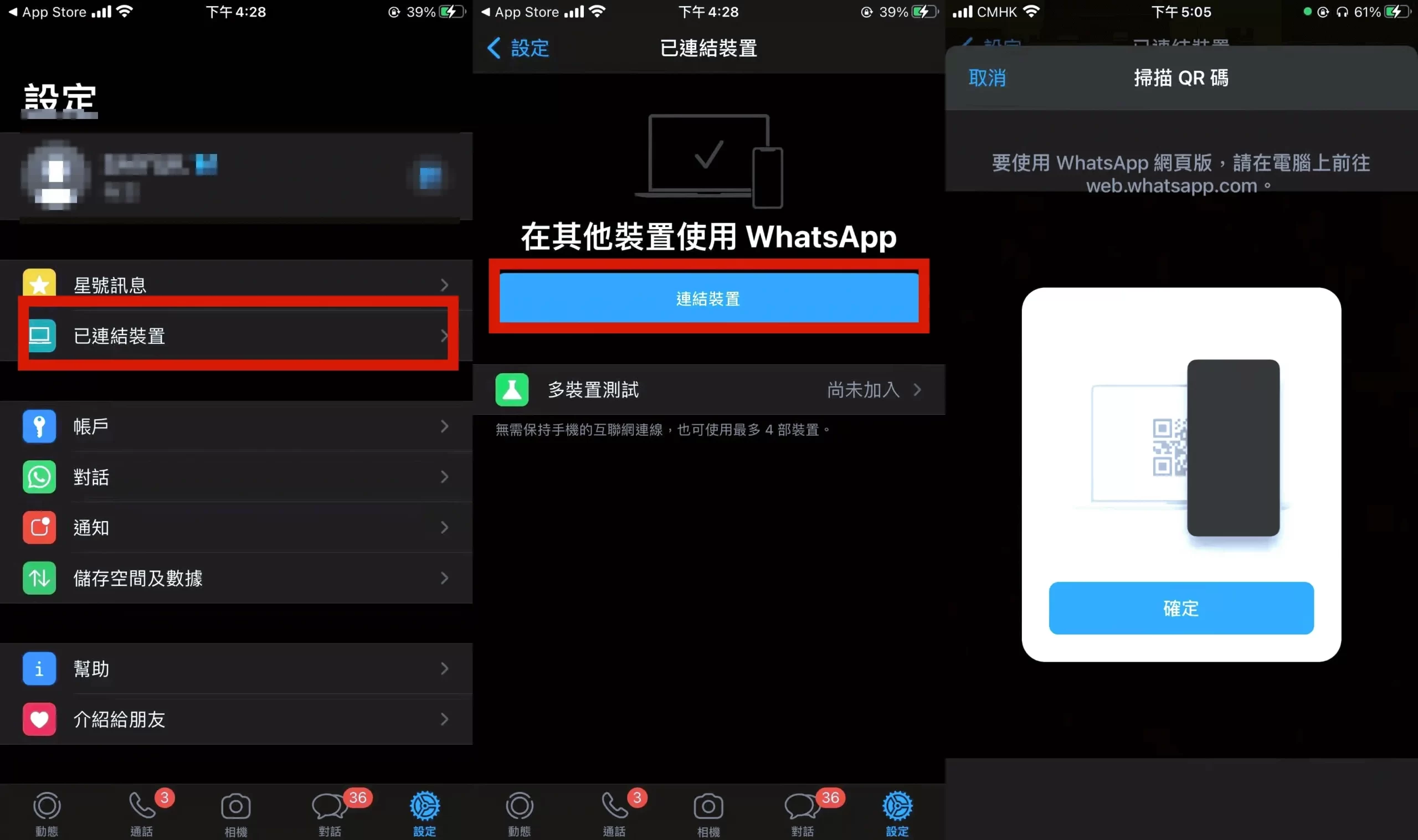
Generate an invite link: Instead of adding contacts via phone numbers, you can generate a WA link that allows you to share a direct chat URL.
Create a chat link: Use the format https://wa.me/, where is the contact’s phone number in international format.
Share the link: Send the generated link through other channels (like email or social media).
Direct access to chat: The recipient clicks the link and connects with you directly on WhatsApp.
This method is particularly useful for businesses or events where you want to connect with multiple people quickly.
Contact Addition
Easily add contacts using their phone number for secure communication.
URL Sharing
Generate a direct chat link to quickly connect with new contacts.
QR Code Access
Use QR codes to share your contact information effortlessly.
Group Functionality
Create groups to add contacts through collaborative interactions.
Contact Syncing
Sync your phone’s contacts to manage chats on WA Web easily.
Third-Party Tools
Leverage contact management apps for organizing and importing contacts.
Use QR Codes for Contact Sharing
Utilizing QR codes: QR codes can serve as an alternative method for sharing your number without typing.
Generate a QR code: Use WhatsApp’s native QR code feature to create a code linked to your number.
Share the QR code: Print or distribute the QR code digitally.
Scan to connect: Recipients can scan the code using their phone’s camera to save your contact.
This innovative sharing method is beneficial in networking situations or public events.
Try generating a direct chat link using the format ‘https://wa.me/’ to quickly share your contact without needing to input phone numbers manually.
Adding Contacts via Group Chats
Create a Group and Add Contacts
Utilize group functionality: If you’re already connected with some members in a group, you can invite new contacts to the group.
Create a new group: Start by creating a new group chat on WA Web or the mobile app.
Add participants: Add contacts who are already on your list, then invite through a group link or by messaging.
Connect through discussion: New members can interact while merging their contacts with yours.
This collaborative approach not only adds contacts but also establishes a communication groundwork right off the bat.
Forwarding Messages to Introduce Contacts
Share messages: Within a group chat, you can introduce someone by forwarding messages.
Select a message: Use the messaging feature to forward important information about a contact.
Tag the new contact: Mention them in your message to facilitate recognition.
Encourage interaction: This allows for requests to add them later and introduces them to the group naturally.
Typically, participants are more willing to connect after engaging in conversations through shared content.
| Method | Description | Privacy Protection | Ease of Use | Additional Notes |
|---|---|---|---|---|
| Phone Number | Primary method for adding contacts. | High | Easy | Unique registrations for privacy. |
| WA Mobile App | Add contacts directly through the app. | High | Very Easy | Syncs automatically with WA Web. |
| QR Code | Share your contact via QR code. | Moderate | Easy | Great for events and networking. |
| URL Link | Generate a direct chat link for easier access. | Moderate | Easy | Useful for businesses and sharing. |
| Group Chats | Add contacts by inviting them to groups. | Moderate | Moderate | Encourages interaction among members. |
| Third-Party Apps | Use contact management tools to organize. | Variable | Moderate | Can import/export contacts easily. |
Using Third-Party Contact Managers
Leverage Contact Management Apps
Use dedicated applications: Various third-party applications allow users to manage and export contacts into formats compatible with WA Web.
Choose a contact manager: Select and install an app that allows integration with WhatsApp.
Export contacts: Utilize features within the app to export selected contacts to your WhatsApp.
Import and sync: Allow WA Web to sync with updated contacts accordingly.
This is useful for businesses needing to manage a large number of contacts effectively.
CSV Importing of Contacts
Adopt a systematic approach: For bulk contact addition, exporting contacts from Google Contacts or Excel sheets can streamline the process.
Export as CSV: Start by exporting your contacts in CSV (Comma-Separated Values) format.
Convert to compatible formats: Utilize tools to transform the CSV into a format compatible with WhatsApp.
Import and add: Manually upload or input the contacts into WA Web for further communication.
This option serves as an efficient route for organizations to gather their customer contact information.
Common Questions About Adding Contacts on WA Web
Can I import contacts from other messaging apps into WA Web?
No, WA Web does not support importing contacts from other messaging apps directly. You must rely on phone numbers or other supported methods for adding contacts.
Is there a limit to how many contacts I can add on WA Web?
There is no specific limit enforced by WA Web for adding contacts, but WhatsApp does have user limits in place regarding group chats and broadcast lists.
Can I add contacts without their consent?
While you can technically add anyone with a phone number, it’s advised to always have consent to maintain respect for privacy and follow ethical communication practices.
In conclusion, while adding contacts on WA Web primarily relies on phone numbers, there are numerous ways to enhance your connectivity. By leveraging varying methods such as URLs, QR codes, group chat functionalities, third-party applications, and contact managers, the process can be streamlined efficiently. Understanding how to utilize these tools can significantly enhance your productivity and communication effectiveness on WA Web.







